Overview
Shababnah is a home and business services marketplace that pairs customers with verified local technicians — plumbing, carpentry, AC, electrical, painting — and gives the companies behind those technicians the tools to actually run the work.
Team
Cloudstech
Product design & engineering
Duration
Ongoing
2025
Tools
- Next.js
- Flutter
- Node.js
Project snapshot
Three surfaces on one backend: a customer app for finding and booking a technician, a provider app for companies dispatching their team, and a web dashboard for the operators above both.
There is also a marketplace layer — stores and products — so a job that needs a part can be fulfilled without leaving the platform.
The problem
Booking a technician runs on word of mouth and phone numbers. The customer has no way to verify a company is real, no visibility into when someone will arrive, and no record if the work goes wrong.
On the other side, small service companies are dispatching jobs over WhatsApp: no request queue, no way to assign work to a specific technician, and no earnings record beyond a notebook.
The solution
Every provider is a verified company with a team, not an anonymous individual, and assignment is explicit — a request lands in the company's queue and gets assigned to a named technician who sees it in their own app.
The customer follows the same job from request to arrival, with live technician tracking on the map and a payment summary that matches what was quoted.
Products and stores sit alongside the service catalogue, so parts a job depends on are ordered in the same cart and the same checkout.
Impact highlights
Verified companies, named technicians
Provider onboarding requires company verification, and every job is assigned to a specific team member rather than a pool.
Live job tracking
Customers follow the technician on the map from dispatch to arrival, with an ETA instead of a phone call.
Parts in the same checkout
A store and product catalogue sits next to the services, so a repair that needs a part does not leave the platform.
Ratings that close the loop
Customer feedback attaches to the technician and the company, which is what makes the verification worth anything.
Design
01Onboarding and sign in
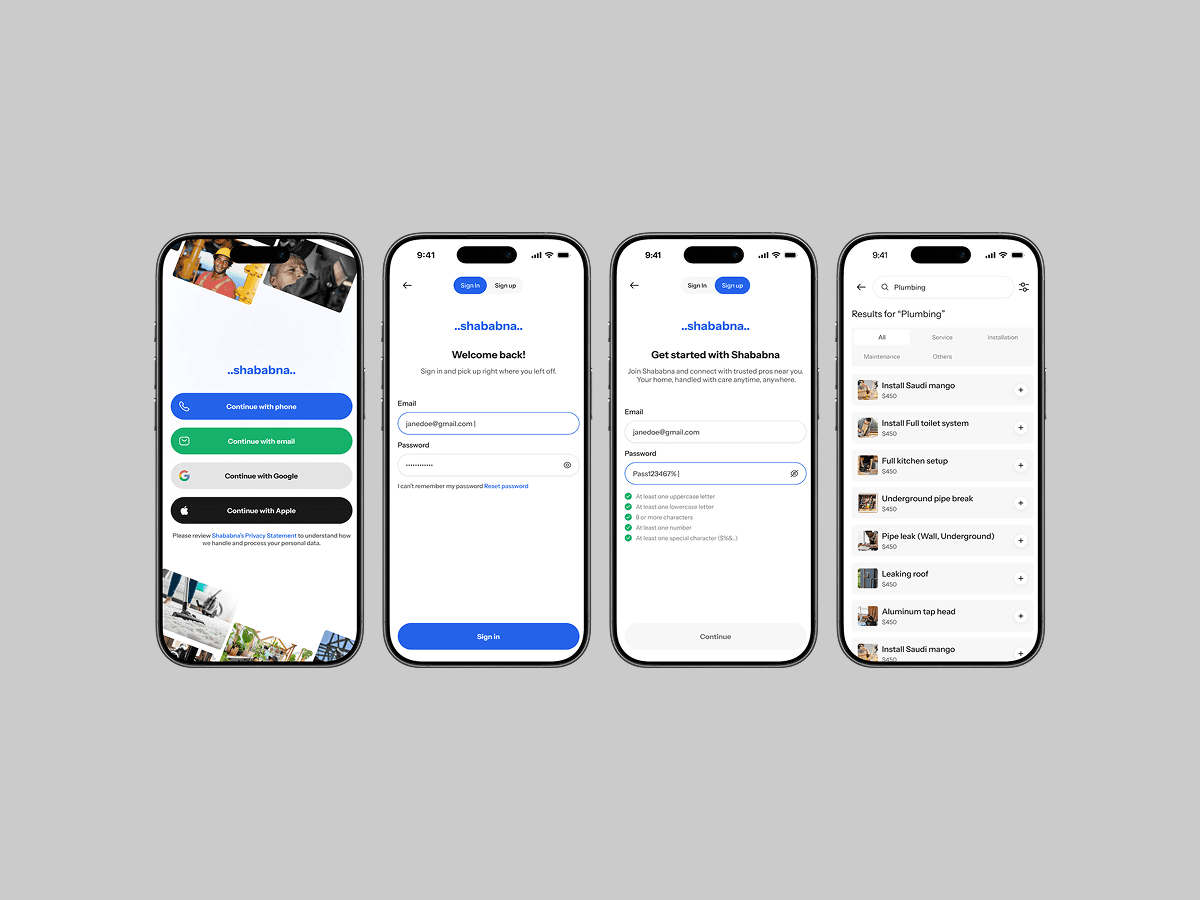
Onboarding leads with the work itself, then offers phone, Google, and Apple sign-in. From the first search the catalogue is concrete — results for plumbing return install taps, unclogging pipes, water heaters — because a vague category list is where this kind of marketplace usually loses people.
02Customer app
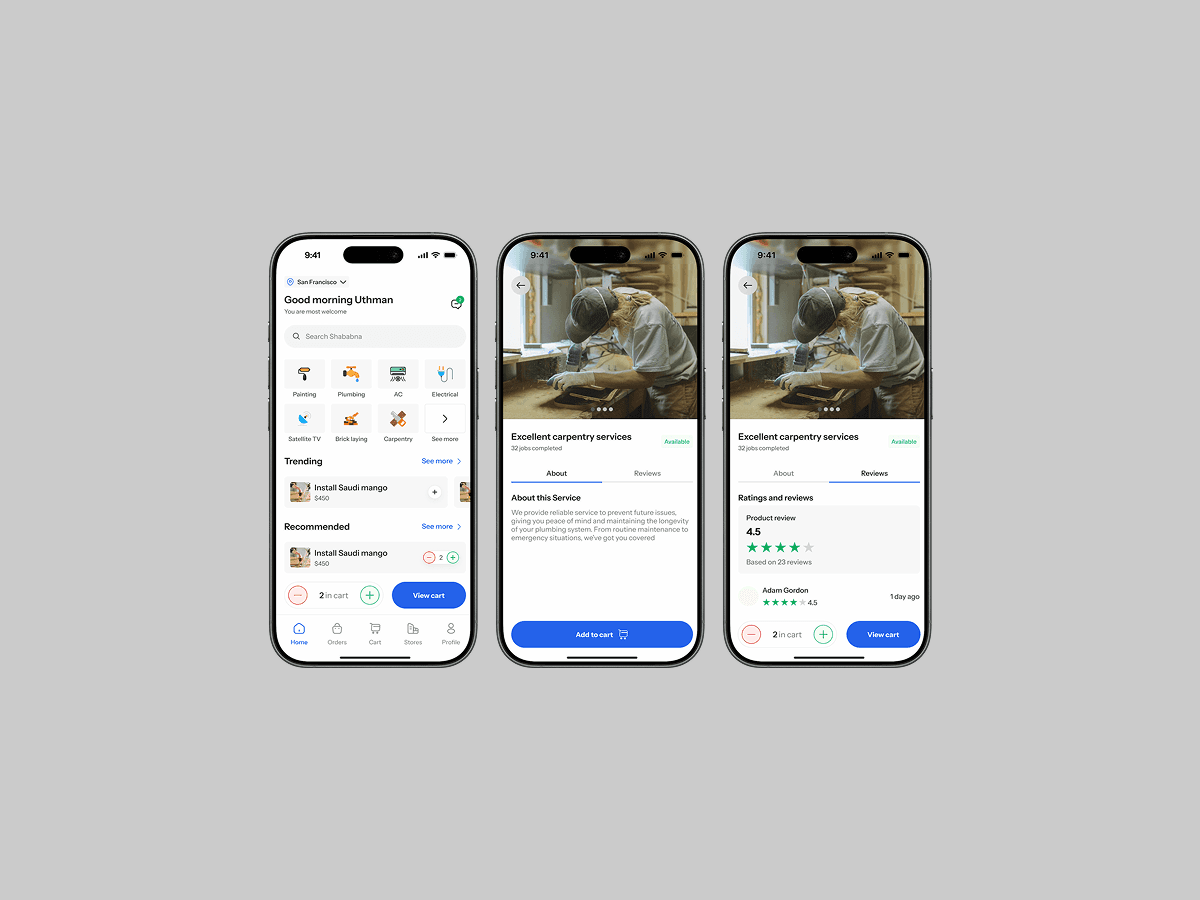
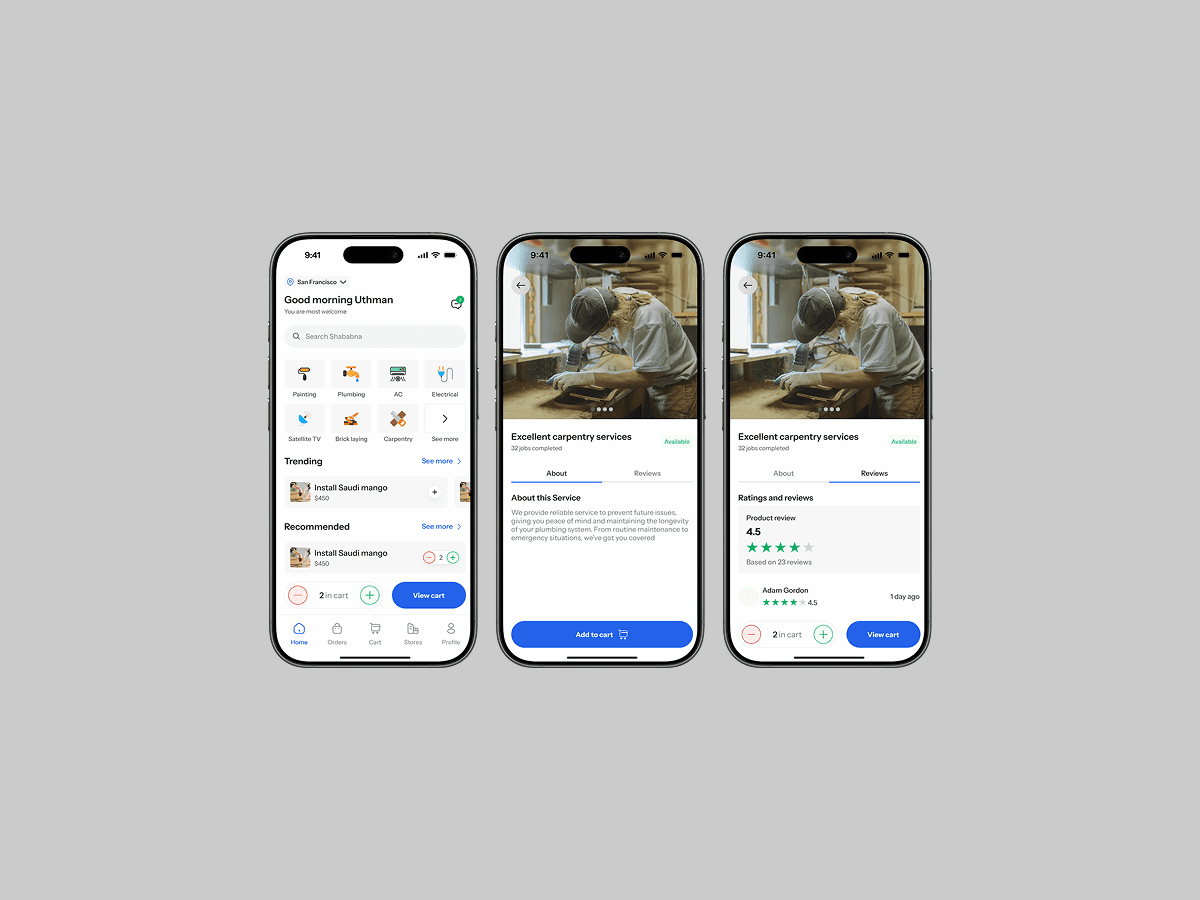
The home screen is category-first — painting, plumbing, AC, electrical, satellite TV, brick laying, carpentry — with trending and recommended services underneath. A service page carries photos of real work, ratings, and a review history before the add-to-cart.
03Cart and payment
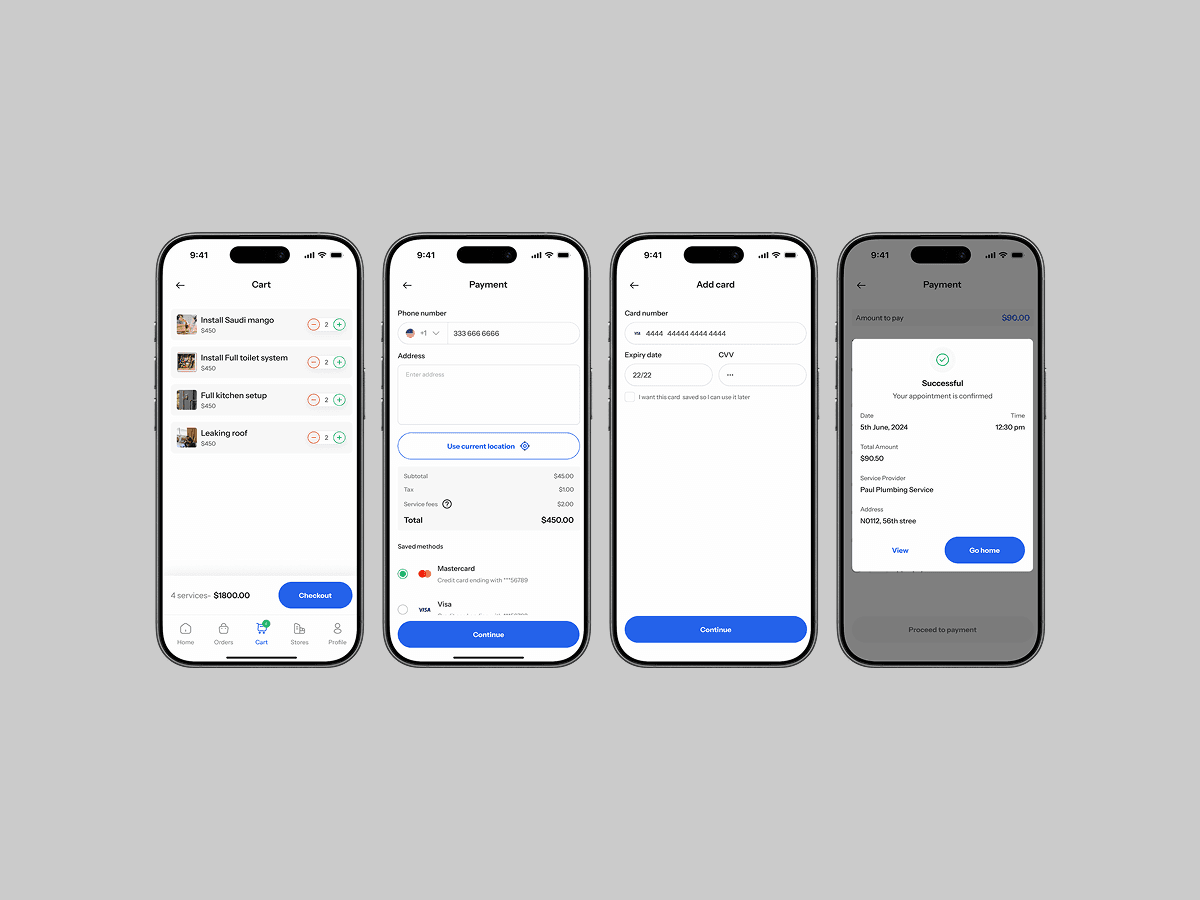
Services and parts share a cart. Checkout covers saved cards and adding a new one, with a confirmation that restates what was booked and when — the last chance to catch a wrong address or a wrong slot.
04Orders and tracking
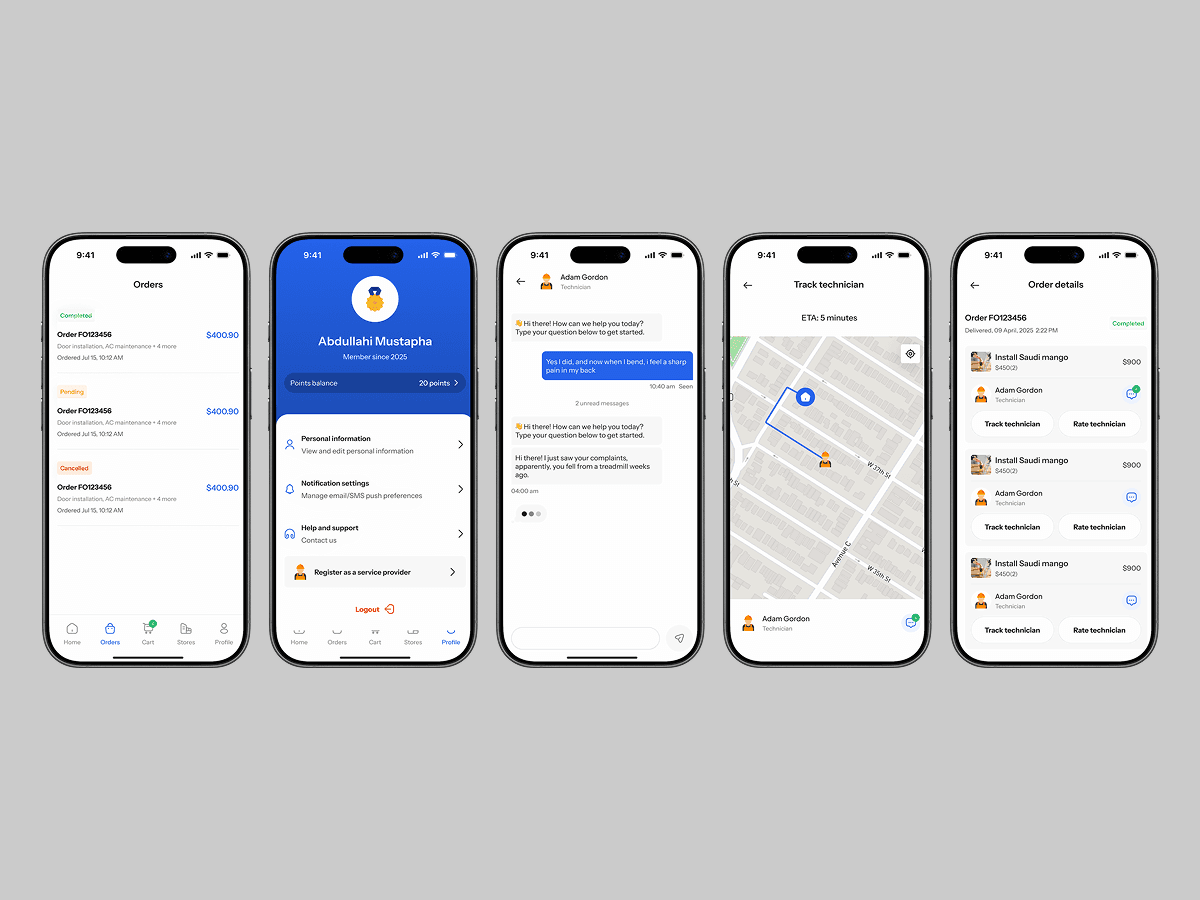
An order keeps its history: what was booked, its status, and the chat thread with the provider. When a technician is dispatched, the customer gets the live map with an ETA rather than a call promising someone is on the way.
05Provider app
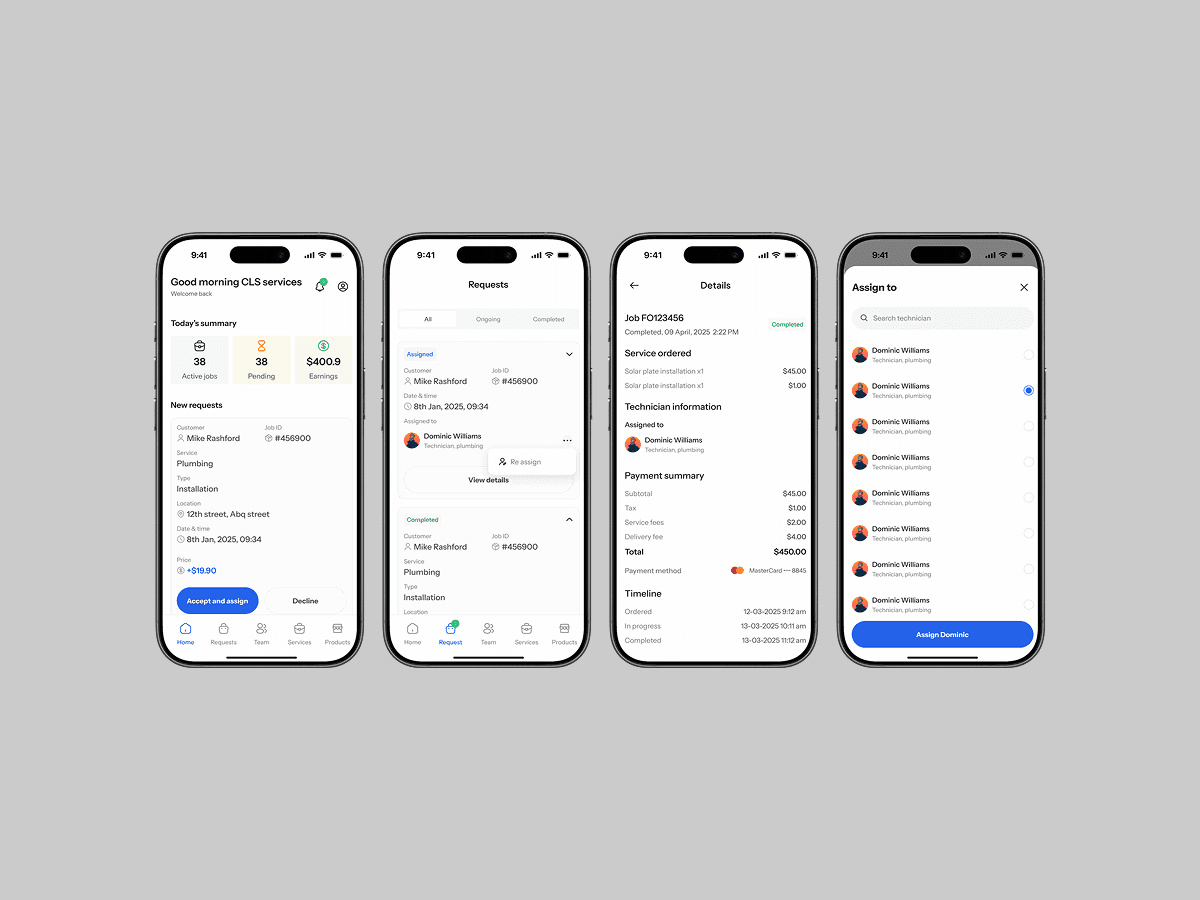
The provider side opens on today's numbers — scheduled, pending, completed — with new requests queued below. Each request expands into service details, technician information, timeline, earnings, and the customer's feedback once the job closes.
Assignment is the pivotal action: a request is handed to a named technician from the company's own team.
06Becoming a provider
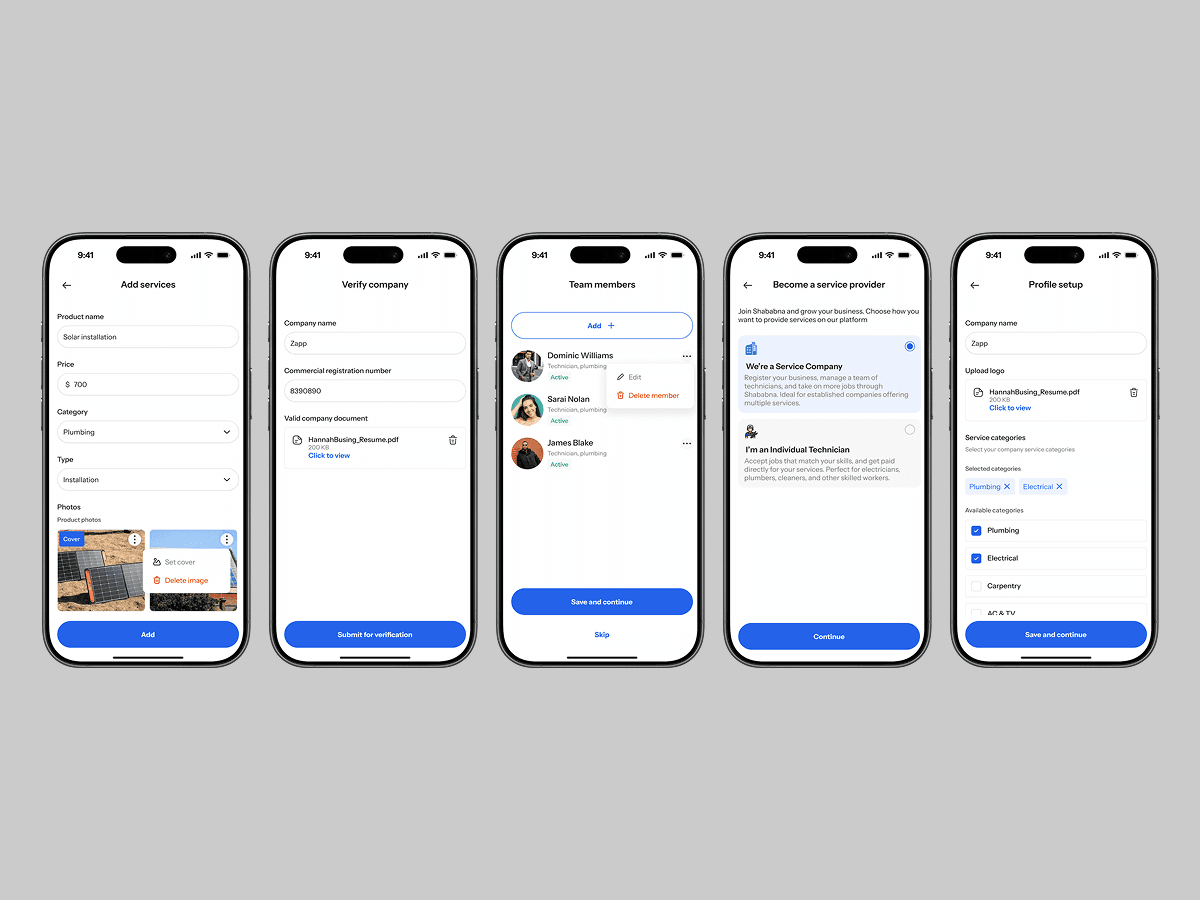
Provider onboarding is deliberately heavier than customer sign-up: company details, verification documents, service categories, and photos of previous work, followed by team setup.
That friction is the product working as intended — it is what lets the customer side promise verified companies.
07Team management
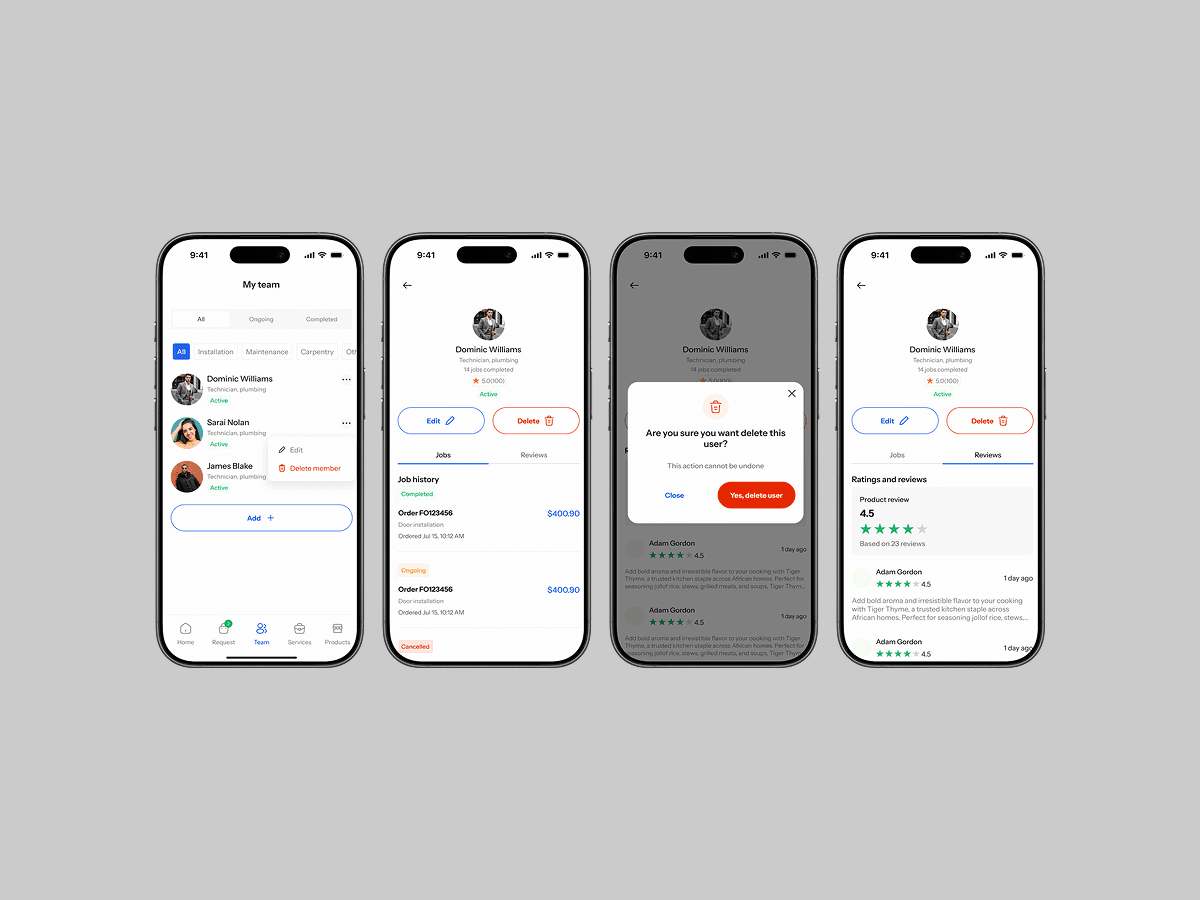
A company manages its technicians in-app: add members, edit roles, remove someone who has left, and see the ratings each technician has accumulated. Performance is attributed to a person, not averaged away across the company.
08Stores and products
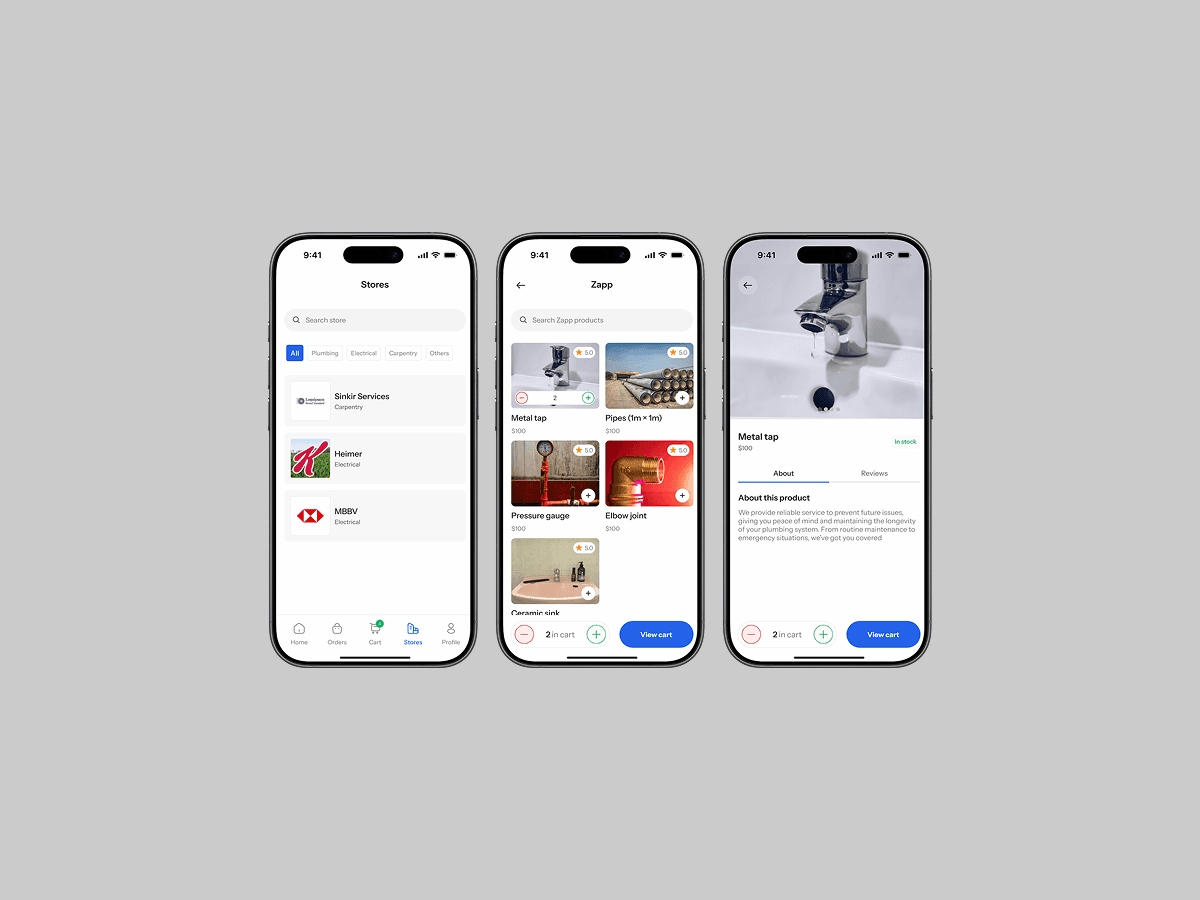
The marketplace layer lists stores and their catalogues, with product detail pages and stock handling behind them, so materials for a job are part of the same transaction.
09Web dashboard
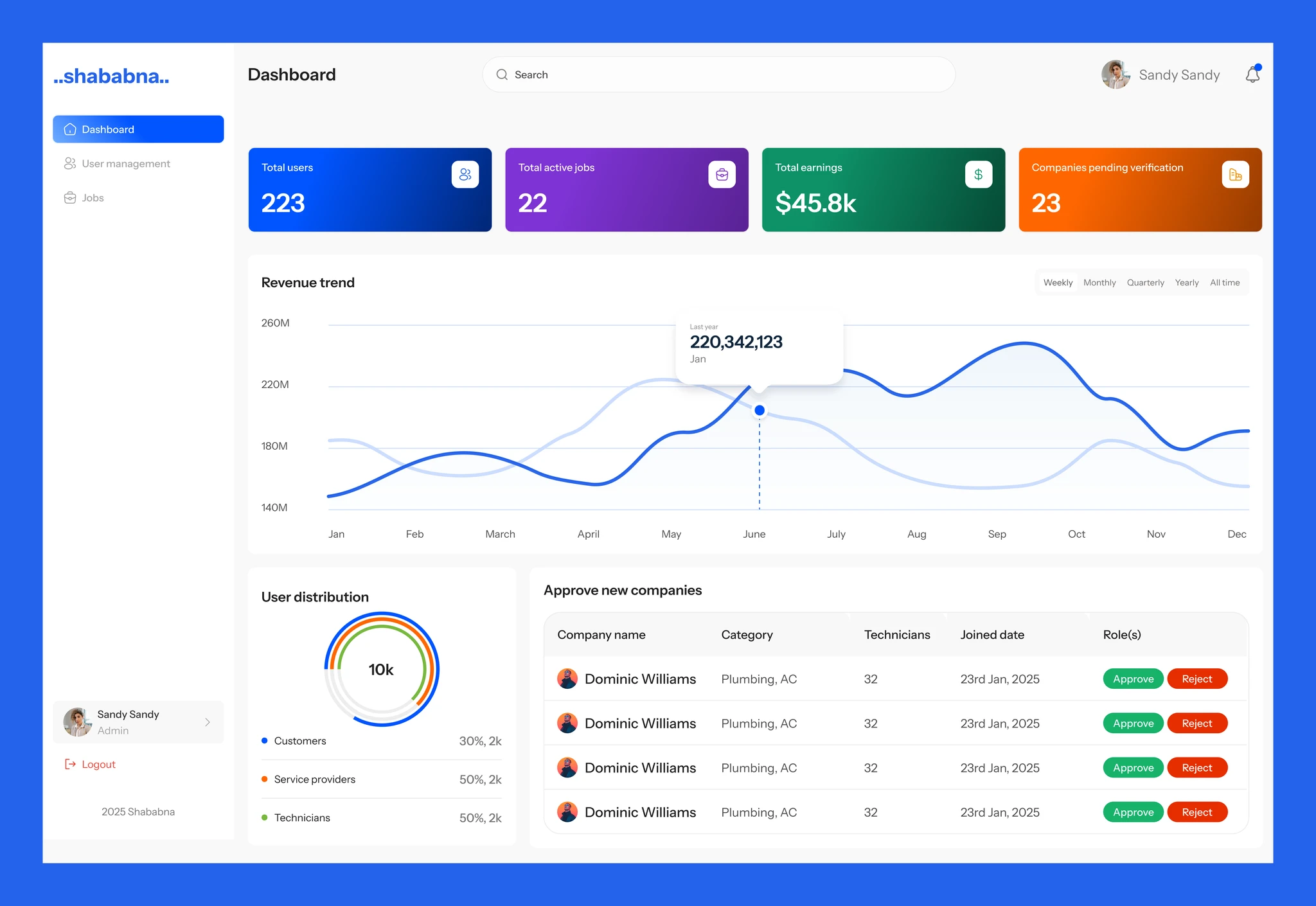
The web console sits above all of it: users, service providers, technicians, jobs, revenue, and approvals for companies waiting on verification.